How to keep score in mahjong
Use one shared scoreboard for a real-life game. This walkthrough follows four friends from creating a room to saving the final scores.
Start scoring1. Create a room
On the scorekeeper, tap Create a room. Give your table a name such as Sunday Mahjong, then tap Create & join. You become the host. Every player starts with zero net points, and you can create a room as a guest.
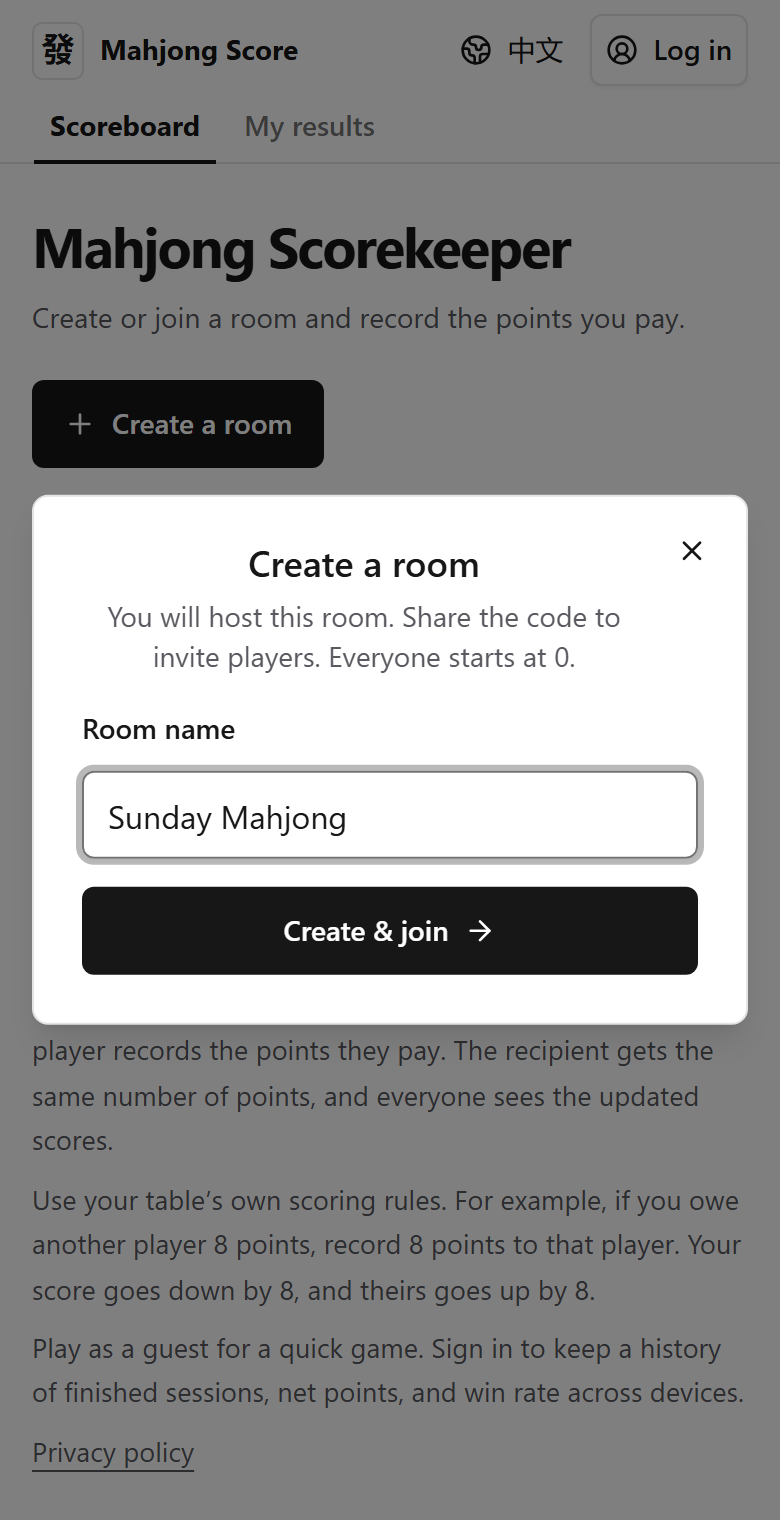
Name the table and tap Create & join. 2. Invite the other players
Copy the six-digit Room code from the top of your table, or tap Invite friends to copy the invitation link. On their phones, players can enter the code on the scorekeeper and tap Join the table. The screenshot uses a demo code.
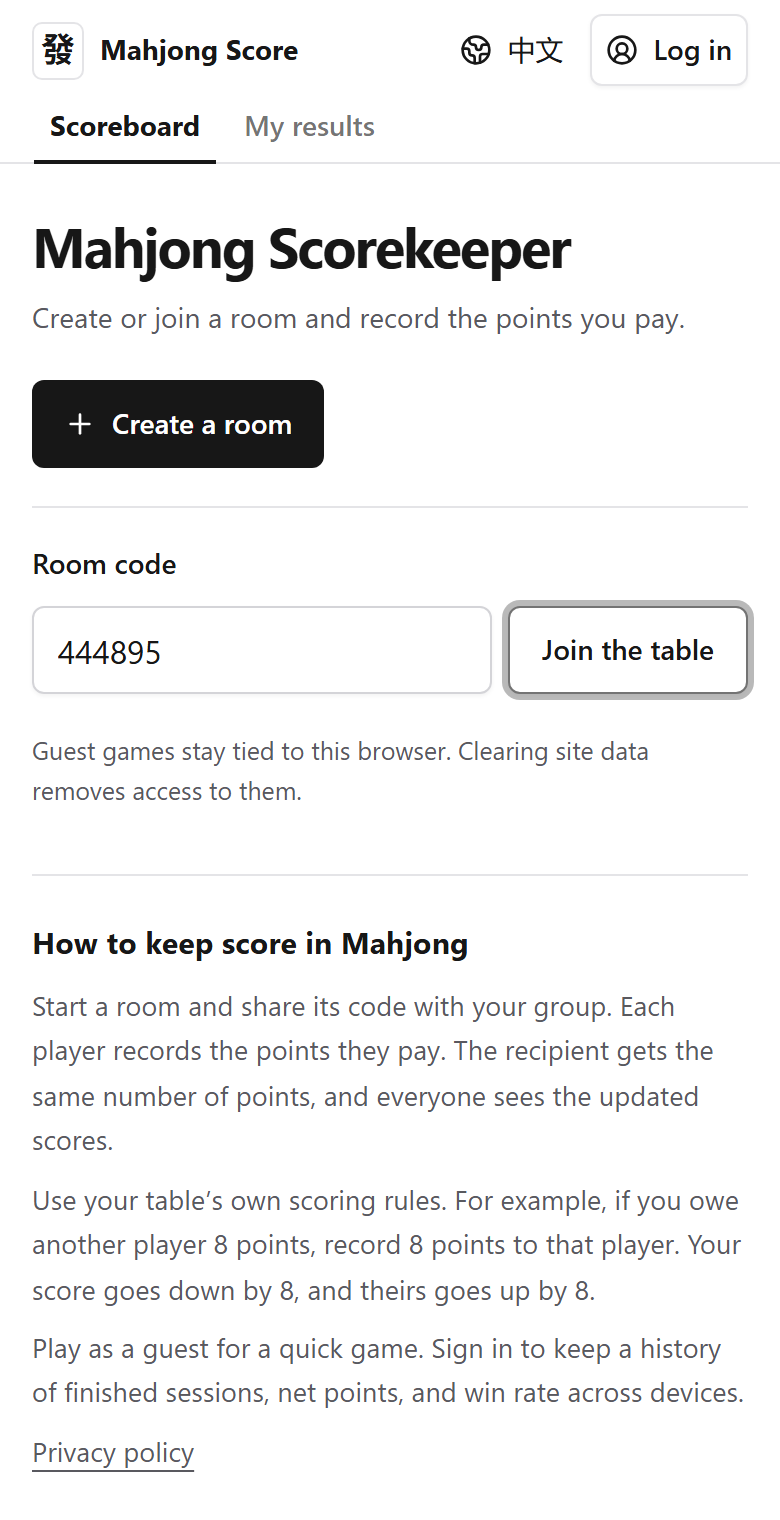
Each player joins the same room from their own device. 3. Record who gives points to whom
Work out each hand’s points using your table’s rules. The player giving points taps Record points paid, chooses the receiving player, enters the amount, and taps Confirm points. In this example, Sam gives Alex 8 points. Sam’s score drops by 8 and Alex’s rises by 8. Record each transfer once.
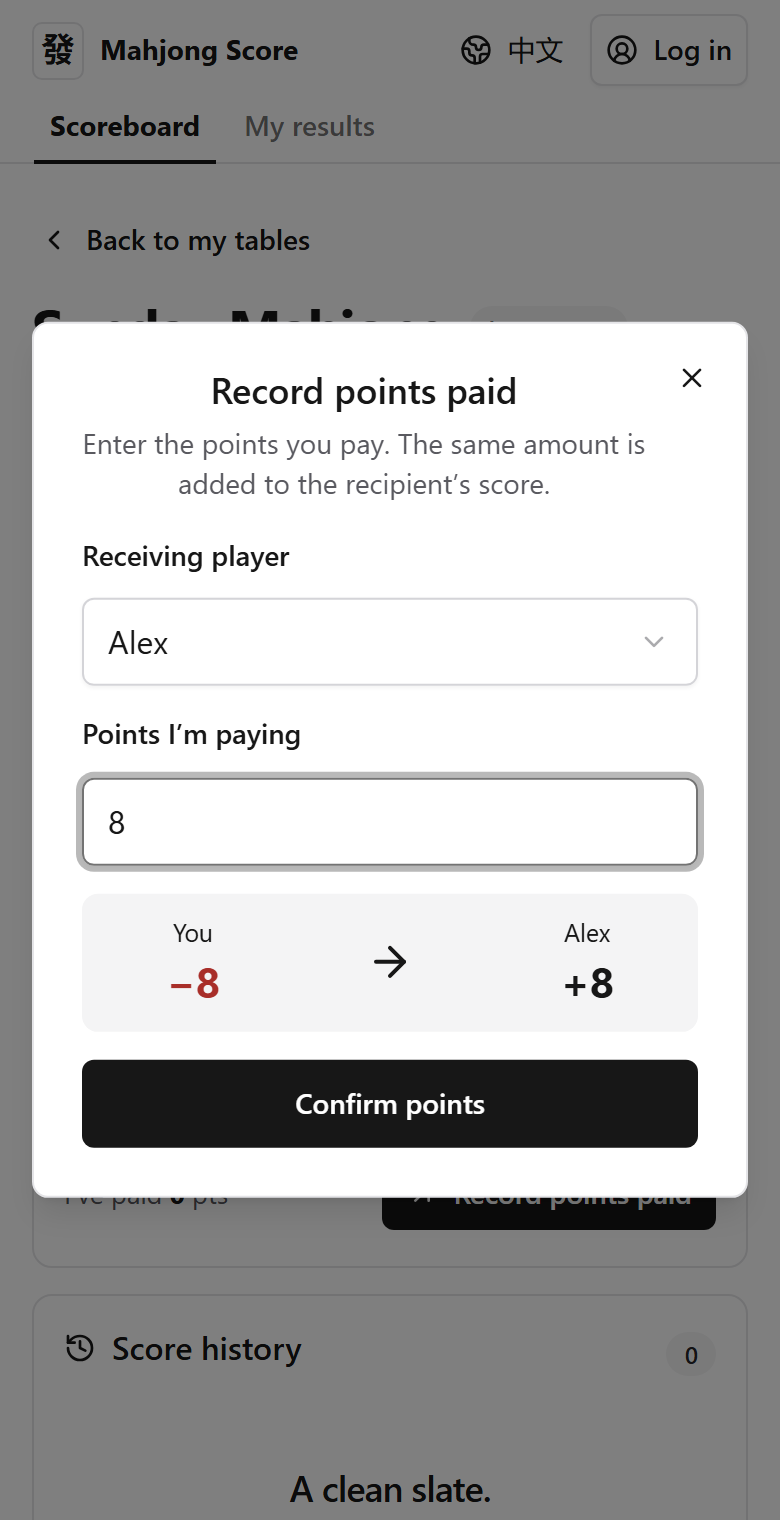
The preview shows 8 points leaving Sam and going to Alex. 4. Check the scoreboard and finish
Jordan and Taylor each give Alex 4 more points. Alex ends at +16, Sam at −8, and Jordan and Taylor at −4 each. The Table total stays at zero because every transfer adds and subtracts the same amount.
If an entry is wrong, the host can tap Reverse in Score history. When everyone agrees on the scores, the host taps Finish session and confirms to save the results and close scoring.
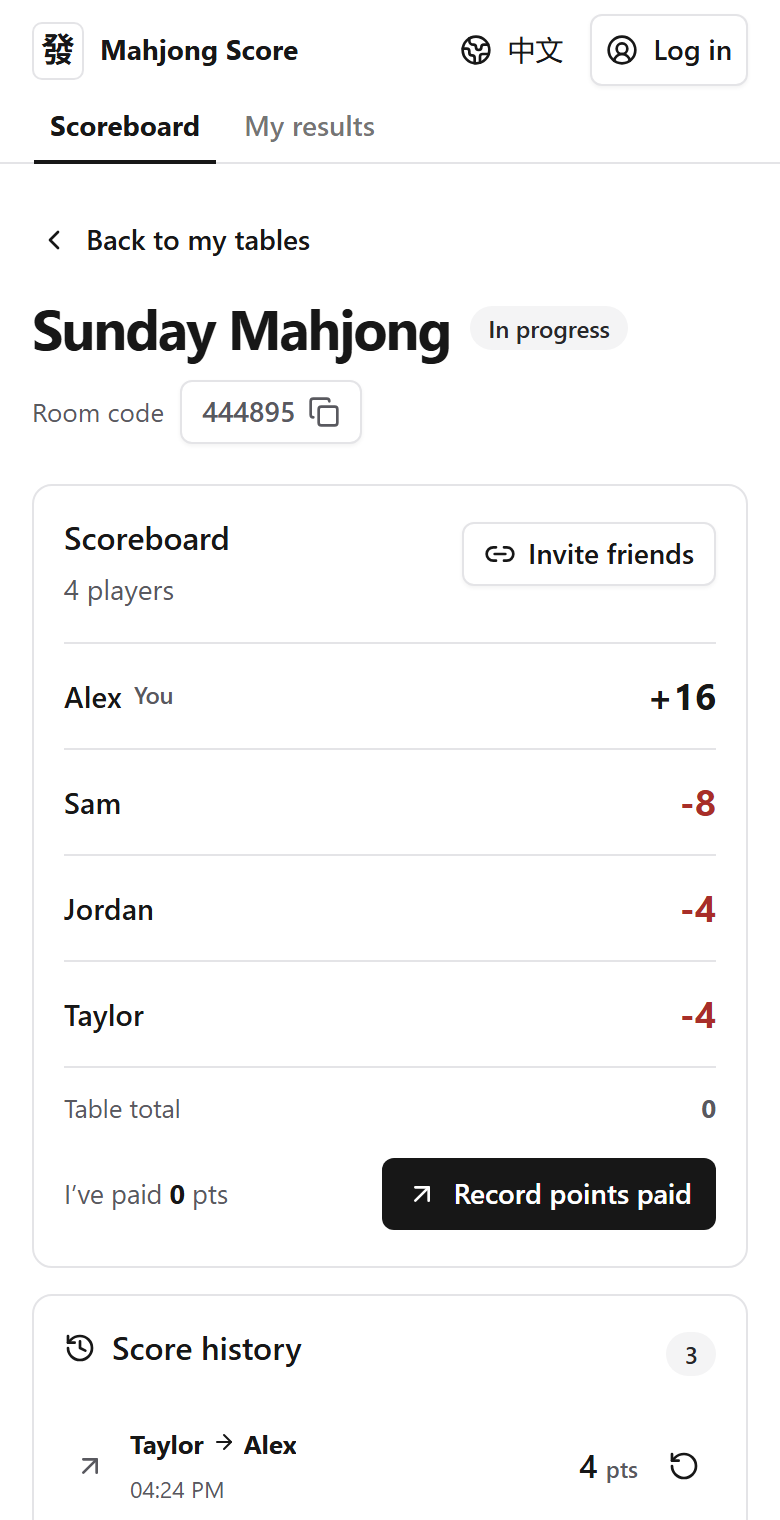
Everyone sees the same scores. The four net scores add up to zero.